
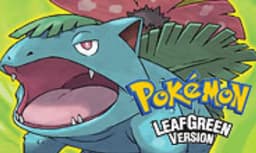
Play Pokemon LeafGreen Online
Play Pokemon LeafGreen (Pokémon LeafGreen Version) online in your browser. Full game guide, how to play, controls, and FAQ. Part of Pokemon FRLG — Pokémon FireRed & LeafGreen.
Play LeafGreen in Your Browser
About Pokemon LeafGreen
Pokémon LeafGreen Version is the companion to FireRed and part of Pokemon FRLG (Pokémon FireRed & LeafGreen). Explore the Kanto region, catch Pokémon, and take on the Pokémon League. Play Pokemon LeafGreen online in your browser—no download needed. Enjoy the same classic adventure with version-exclusive Pokémon and the Sevii Islands.
How to Play LeafGreen
- Use the keyboard or on-screen controls to move and open the menu.
- Explore the world: talk to people, enter tall grass for wild Pokémon, and enter buildings.
- In battles, choose Fight, Bag, Pokémon, or Run. Weaken wild Pokémon to catch them with Poké Balls.
- Heal at Pokémon Centers and buy items at Pokémon Marts.
- Beat the eight Gym Leaders and then the Elite Four to finish the main story.
Frequently Asked Questions
- Can I play Pokemon LeafGreen for free online?
- Yes. You can play Pokemon LeafGreen online for free in your browser on this page. No download or install is required.
- What Pokémon are exclusive to LeafGreen?
- LeafGreen has version-exclusive Pokémon such as Vulpix, Ninetales, and others that do not appear in FireRed. Trading with a FireRed player (or using in-game events) can help you complete the Pokédex.
- How do I save in Pokemon LeafGreen?
- Open the in-game menu and select Save to save your progress. The emulator may also offer save states for quick save and load.
- Is Pokemon LeafGreen part of Pokemon FRLG?
- Yes. Pokemon FRLG stands for Pokémon FireRed and LeafGreen. LeafGreen is the green version of the pair, both set in Kanto with the same story and the Sevii Islands.